VulcanBot 01
Your ideas.
A robot to build on.
Bring navigation, AI and human–robot interaction together on a mobile platform built on Vulcanexus. Explore what VulcanBot can do, then shape it around your project.
Build with the Vulcanexus ecosystem.
Connect perception, language and actions.
Choose hardware around your application.
Build with the Vulcanexus ecosystem.
Connect perception, language and actions.
Choose hardware around your application.
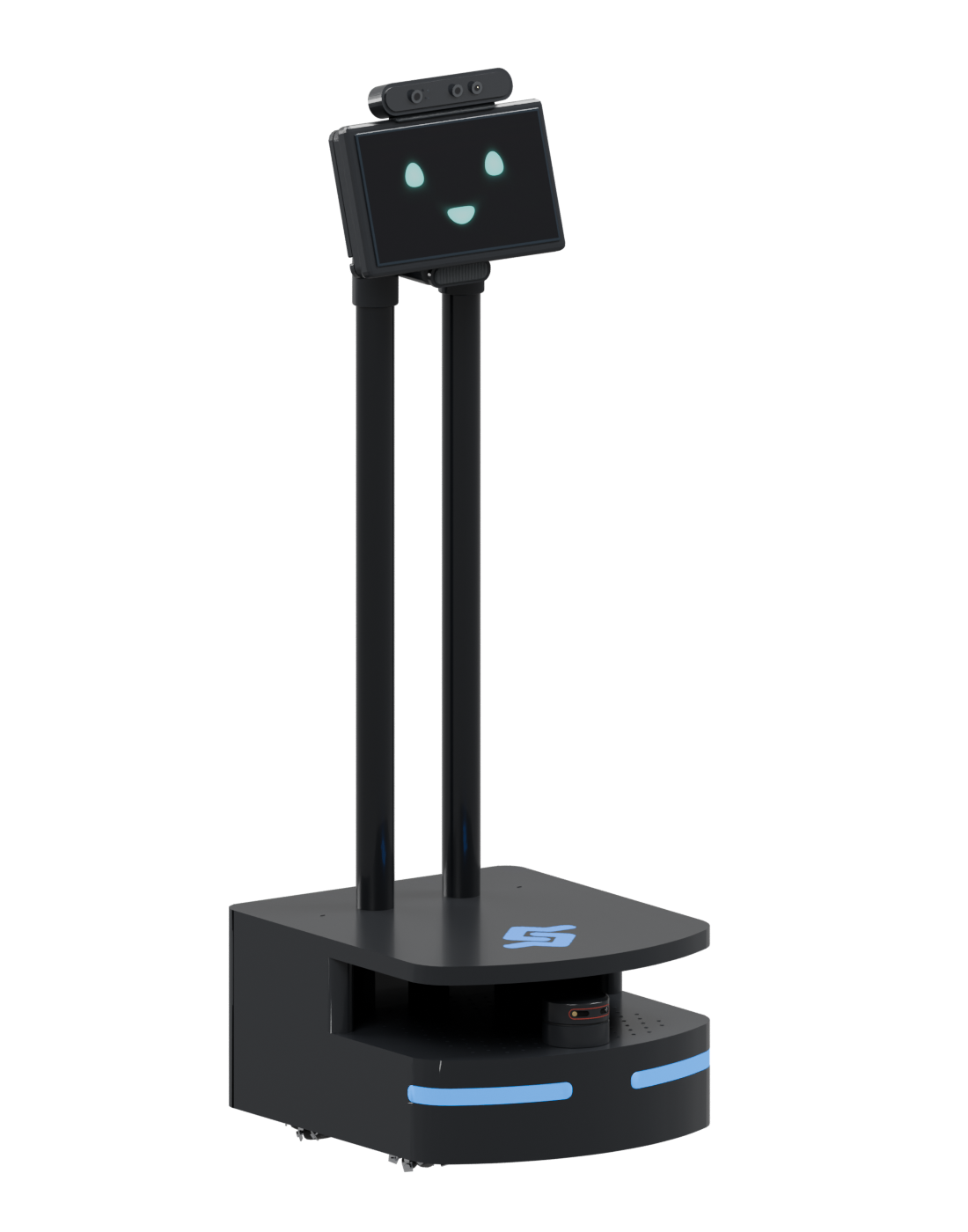
Drag to rotate · Scroll or pinch to zoom
Explore an example configuration. Components and capabilities depend on the configuration agreed for your project.
Meet VulcanBot 01
From a request to a robot in motion.
A closer look at the platform, its capabilities and the software bringing them together.
An integrated platform
One robot.
A connected software foundation.
Work with the physical platform and its ROS 2 software together. Extend the behavior, connect new components and develop your own applications.
The industry-ready ROS 2 distribution.
Vulcanexus provides the ROS 2 foundation, Fast DDS communication and developer tools behind the platform.
VulcanBot
The mobile platform: sensors, a screen and a base on which to integrate and test your application.
VulcanHRI
Human–robot interaction components for perception, speech and visual interfaces within Vulcanexus.
VulcanAI
Connect language models to defined tools and robot capabilities to build application-specific task workflows.
Take ROS 2 further with Fast DDS Pro.
Add professional communication capabilities, tools and support through a Vulcanexus professional subscription.
Intelligent robot behavior
Perceive. Understand.
Put ideas into action.
Combine navigation and interaction with your application logic. Start from demonstrated behaviors and develop the workflows your project needs.

Turn destinations into movement.
Use the robot’s sensing and navigation software to move through a mapped environment and respond to obstacles along the route.
- Map-based navigation.
- Waypoint-driven tasks.
- Application-specific missions.

Bring people into the interaction.
Connect person and pose detection with speech and screen interfaces to create interaction flows around the people using the robot.
- Person and pose perception.
- Speech input and output.
- Visual interaction on screen.

Connect language to robot capabilities.
Build task workflows that translate requests into calls to defined tools, connecting AI assistance to the functions your application exposes.
- Language-model integration.
- Application-defined tools.
- ROS 2 task workflows.
Behavior depends on the selected hardware, software and application configuration. VulcanAI is in beta; project scope and validation are agreed individually.
VulcanBot in action
See the details.
See the behavior.
Three short demonstrations of the platform, from the hardware itself to navigation and human perception.
01 · Components
Explore the hardware.
Take a closer look at the sensors and interfaces that connect the robot to its surroundings.
02 · Navigation
A request. A destination.
Follow a navigation task through an office, from a spoken request to movement through the mapped space.
03 · Perception
Make interaction visible.
See person detection and pose visualization turn camera observations into information for the robot application.
A configurable platform
Your project.
Your configuration.
Select sensing, computing and interfaces around the application. The examples below illustrate possible configurations, not a fixed bill of materials.

Perception
Depth-camera options matched to the environment and perception workload.
Examples: RealSense or Astra depth cameras.

Navigation
LiDAR and sensing choices matched to the robot’s intended operating space.
Example: a Slamtec A2-class LiDAR configuration.

Compute & interfaces
Onboard processing and user interfaces selected around application requirements.
Examples: NUC-class compute, screen, microphone and speakers.
Potential integration
RealSense
Depth perception · Ethernet · DDS
Explore a Safe DDS-enabled camera.
The RealSense D555 uses Safe DDS and provides native ROS 2 connectivity over Ethernet. It is an interesting candidate for a future VulcanBot perception configuration.
D555 integration into VulcanBot is not presented as available or validated. Camera and middleware capabilities do not imply safety certification of the complete robot.Hardware configuration, included software, integration work and support are confirmed in the project proposal.
Talk to a robotics expert
What will you build with VulcanBot?
Tell us about your application and the capabilities you need. We’ll help define a suitable platform configuration and engineering scope.
Hardware and sensing options.
Navigation, AI and interaction workflows.
Application development and integration.
Professional tools and support.