

Open-source DDS connectivity
Connect distributed systems across domains and networks.
Route the right DDS data between local domains, remote sites, edge systems and cloud environments—without redesigning the applications at either end.
Available under Apache 2.0
UDP, TCP and TLS over TCP
Dynamic discovery and QoS continuity
OPEN SOURCE Production connectivity built in the open.
DDS Router is developed by eProsima and available under the Apache 2.0 license.
Core capabilities
Control where DDS data needs to go.
Connect distributed networks while keeping local systems autonomous and the routed data path intentional.
- Connect DDS domains
- Cross WAN boundaries
- Forward efficiently
- Route only what matters
- Preserve DDS behavior
Connect DDS domains
Bridge logically isolated DDS domains without changing the publishers and subscribers already deployed in each network.
- Dynamic endpoint discovery
- Bidirectional data routing
- Independent local domain IDs
Cross WAN boundaries
Connect geographically separated DDS networks over UDP or TCP, with TLS available for protected TCP links.
- TCP and UDP transports
- TLS over TCP
- NAT-aware deployment options
Forward efficiently
Route serialized DDS data without application-level introspection, keeping forwarding efficient as systems grow.
- Zero-copy forwarding path
- Distributed router topologies
- No application code changes
Route only what matters
Constrain the routed data set with topic allowlists and explicit forwarding routes, while topics can still be discovered dynamically.
- Topic allowlisting
- Dynamic topic discovery
- Directional forwarding routes
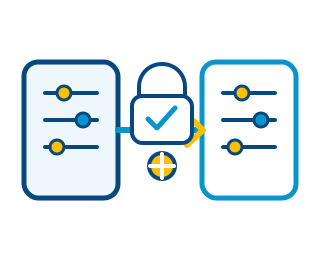
Preserve DDS behavior
Carry the communication intent of each topic across routed networks, including reliability and durability behavior.
- QoS preservation
- Manual QoS overrides
- DDS-native interoperability
Deployment patterns
One routing layer. Several network realities.
Use DDS Router where domains, geographic boundaries or infrastructure layers need controlled connectivity.
Connect remote sites
Make DDS applications in separate private networks communicate across a controlled WAN path.

Bridge edge and cloud
Move selected DDS data between edge deployments and cloud-hosted processing environments.
Scale ROS 2 deployments
Connect ROS 2 workloads across domains, containers and Kubernetes environments while retaining DDS communication.
Build distributed routes
Add router nodes or repeaters where the topology requires multi-hop or resilient connectivity.
Configuration-first workflow
Describe the route. Keep applications untouched.
A readable YAML configuration defines the network participants, the data that may cross each boundary and, when needed, the direction of travel.
Define participants
Local domains, WAN links and Discovery Server interfaces.
Select the data
Allowlist topics or use forwarding routes for finer control.
Deploy at the boundary
Run natively, from packages or in a Docker environment.
participants:
  - name: local_domain
    kind: local
    domain: 10

  - name: remote_site
    kind: wan
    connection-addresses:
      - domain: router.example.com
        port: 11666
        transport: tcp

allowlist:
  - name: rt/vehicle/status
- name: rt/mission/commandOperational confidence
Open-source software with a professional path.
Start independently, then involve the team that develops DDS Router when architecture, deployment or lifecycle requirements demand it.
Flexible deployment
Install on Linux or Windows, build from source, or use the available Docker environment.
Architecture support
Validate domain boundaries, WAN topology, filtering and transport choices with eProsima experts.
Custom integration
Adapt routing behavior or connect DDS Router with the broader eProsima middleware ecosystem.
Professional support
Design the right route before deployment.
Tell us which domains, locations and infrastructure boundaries need to communicate.
Domain and WAN topology review.
Transport, TLS and NAT guidance.
Topic filtering and QoS strategy.
Deployment and lifecycle support.