
Open-source DDS recording and playback
Capture what happened. Reproduce it on demand.
Record live DDS traffic with timing and type information in MCAP, SQLite or both, then replay the same system behavior for debugging, validation and repeatable testing.
Topic and type discovery
Portable or queryable recording
Open-source software from eProsima
OPEN SOURCE Reproducible DDS debugging, developed by eProsima.
DDS Record & Replay is available under Apache 2.0 and follows the same open-source foundation as Fast DDS.
Core capabilities
From live traffic to a controlled engineering asset.
Capture the communication context that matters, preserve it efficiently and reproduce it with the controls required by your test.
- Discover automatically
- Store in MCAP or SQLite
- Replay with control
- Capture around an event
- Operate remotely
Discover automatically
Join a DDS domain and discover the topics, partitions and type information already present, without defining every data stream in advance.
- Automatic topic discovery
- Partition and timestamp capture
- Dynamic type information
Store in MCAP or SQLite
Record DDS traffic to portable MCAP files, queryable SQLite databases, or both. Store SQLite data as CDR for replay, JSON for inspection, or both formats.
- MCAP and SQLite output
- CDR, JSON or both in SQLite
- Compression and resource controls
Replay with control
Reproduce recorded DDS traffic at its original timing or shape the test with selected time ranges, topics, playback rates and QoS settings.
- Original or adjusted playback rate
- Time-range and topic filtering
- Replay types and configurable QoS
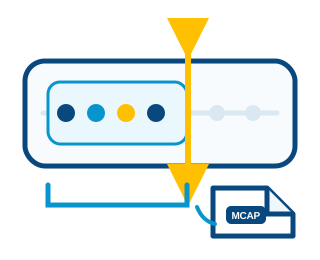
Capture around an event
Keep a sliding in-memory window while paused and persist the samples leading up to an event when a remote trigger arrives.
- Configurable event window
- Pre-event context
- Bounded pending-sample buffers
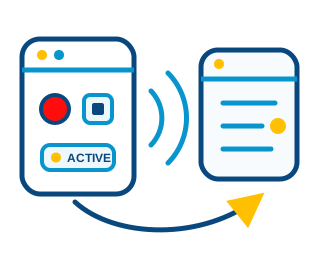
Operate remotely
Start, pause, suspend, stop or close recording from another device using DDS commands or the supplied graphical remote controller.
- Remote state control
- Runtime filter reload
- Monitoring and published logs
A repeatable workflow
Capture once. Reproduce whenever the system needs to be understood.
Keep the operational event, the DDS communication context and the reproduction path connected.

Capture
Discover the DDS traffic and retain the selected samples, partitions, timestamps and available type information.

Store
Write portable MCAP files, queryable SQLite databases, or both, with configurable buffering and resource limits.

Reproduce
Replay the recording into a DDS domain with controlled timing, topics, types and communication behavior.
Engineering use cases
Make difficult system behavior repeatable.
A recording becomes most valuable when it shortens the path from an observed problem to a validated solution.

Reproduce field failures
Capture the traffic surrounding an intermittent problem and replay the same data path in a controlled environment.

Build regression scenarios
Turn representative DDS recordings into repeatable inputs for automated integration and acceptance tests.
Validate system changes
Compare application behavior before and after software, configuration, QoS or platform modifications.

Analyze data offline
Retain DDS data, timing and schemas in MCAP or SQLite for later inspection, visualization and engineering review.
Configuration-first control
Record broadly. Reproduce precisely.
Start with automatic discovery, then use readable YAML to choose domains, topics, event behavior, output limits and playback parameters.
Choose the traffic
Use allowlists, blocklists, partitions or content filters.
Shape the recording
Configure buffering, compression, event windows and storage limits.
Control the replay
Select time ranges, playback rate, types and topic QoS.
dds:
  domain: 0
  allowlist:
    - name: "rt/vehicle/*"

recorder:
  buffer-size: 100
  event-window: 20
  record-types: true

  output:
    path: "./captures"
    filename: "mission"

  mcap:
    enable: true
    compression:
algorithm: zstdChoose the capture model
DDS-native recording for most workflows. Passive capture when the test demands it.
These products address different validation constraints and should not be presented as interchangeable recorders.

DDS Record & Replay
Participates in the DDS domain, discovers topics and types, records MCAP and SQLite data and supports controlled DDS playback.
- Automatic DDS discovery.
- MCAP or SQLite recording.
- Full DDS replay workflow.

Non-Intrusive DDS Recorder
Passively reconstructs RTPS traffic without introducing another DDS participant or modifying the behavior being observed.
- No additional DDS participant.
- Passive network capture.
- Validation-focused environments.
Operational confidence
Open-source software with a professional path.
Adopt independently, then involve the eProsima team when recording architecture, automation or production constraints require direct engineering support.
Recording architecture
Define domains, capture scope, event strategy, storage limits and reproduction objectives.
Workflow integration
Integrate recording and replay into test benches, automation pipelines and product validation environments.
Professional support
Resolve configuration, performance, storage and lifecycle questions with the team developing the software.
Professional support
Make real system behavior reproducible.
Tell us what you need to capture, why it must be reproduced and how the workflow fits into your validation environment.
Capture and replay architecture review.
MCAP, SQLite and resource strategy.
Test automation and toolchain integration.
Deployment and lifecycle support.