

Open-source integration framework
Build one adapter. Connect it to many systems.
Create reusable protocol adapters and combine them through configurable topic and service routes. Integration Service provides the orchestration layer when you want to build and own the bridge.
Apache 2.0 integration framework.
Implement your own System Handles.
Combine multiple protocol adapters.
OPEN SOURCE A framework for engineers building their own protocol integrations.
Use the available System Handles, implement another one, or combine both approaches in the same configured integration.
How the architecture works
Protocol-specific at the edges. Reusable in the middle.
Each adapter translates between one external system and the framework's common dynamic data representation. Configuration then decides what communicates with what.
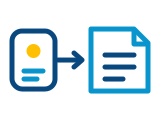
Connect through a System Handle
A System Handle implements the publisher, subscriber, service-client or service-provider behavior required by a protocol.

Share a common data model
Adapters translate protocol-specific data to and from the dynamic xTypes representation understood by the Integration Service core.

Configure the communication routes
A YAML file declares the systems, directional routes, topics, services, types and any required remapping.
Core capabilities
The building blocks of a reusable bridge framework.
Keep protocol code inside adapters and describe the integration itself through a common runtime and configuration model.
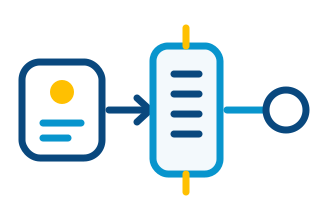
Add the protocol your system needs.
Implement a System Handle, the framework's protocol-adapter interface, to connect another middleware, network protocol or application API.
- Topic publish and subscribe interfaces
- Service client and provider interfaces
- Runtime plugin discovery

Mix several systems in one integration.
Once a System Handle is available, it can exchange data with the other connected systems instead of requiring a new pair-specific bridge every time.
- Multiple systems per instance
- Reuse adapters across integrations
- Topics and request/reply services
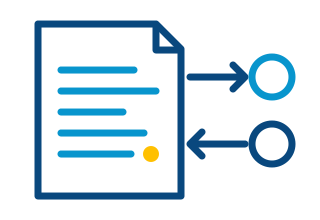
Change routes without rebuilding the framework.
Describe systems, routes, topics and services in YAML. Adapt a deployment by changing configuration rather than rewriting its orchestration layer.
- Runtime configuration
- Directional and bidirectional routes
- Per-system settings
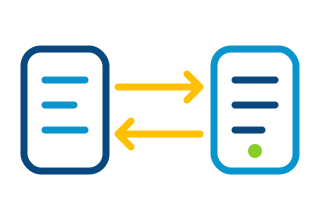
Bridge incompatible names and data models.
Use dynamic type information and remapping to connect systems whose topic names, service names or type representations do not match directly.
- IDL and dynamic type definitions
- Topic and service remapping
- Protocol-specific conversion
Configuration-driven integration
Define the bridge in YAML.
Register the participating systems, declare a route and associate topics or services with it. The same adapters can then be reused in different integration topologies.
- Systems select and configure the installed handles
- Routes define the direction of communication
- Topics and services select types and mappings
systems:
  dds: { type: fastdds }
  plant: { type: my_protocol }

routes:
  plant_to_dds:
    from: plant
    to: dds

topics:
  VehicleStatus:
    type: VehicleStatus
route: plant_to_ddsChoose how to build the bridge
Three valid paths, depending on what matters most.
Integration Service is the reusable open-source framework. A direct implementation may be enough for a simple case, while eProsima can develop a purpose-built bridge for demanding production requirements.

ONE FOCUSED CONNECTIONBuild a bridge from scratch
A direct option when the integration is simple and your team wants to own every architectural and implementation decision.
Maximum control · You build the complete bridge
REUSABLE MULTI-PROTOCOL FRAMEWORKUse Integration Service
Create protocol adapters once, combine several of them and let the framework manage configuration, routing and common data representation.
Open source · Extensible · Configurable
PRODUCTION-OPTIMIZED INTEGRATIONCommission an eProsima bridge
Ask eProsima for a purpose-built commercial bridge designed around the target protocols, deployment constraints and performance requirements.
Purpose-built · Supported · CommercialPurpose-built commercial bridges
When the integration needs a production-optimized path.
eProsima can deliver a bridge designed around the target protocols, deployment constraints and performance requirements.
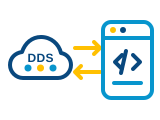
WEB APPLICATION INTEGRATIONDDS WebSockets Bridge
Connect selected DDS data with browser and WebSocket-based workflows through a purpose-built commercial application.
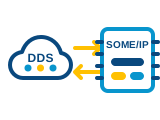
AUTOMOTIVE SERVICE INTEGRATIONDDS SOME/IP Bridge
Bridge DDS and SOME/IP communication in both directions with an implementation designed for the target deployment.
Developer resources
Build the first adapter, then reuse it.
Start with the framework, follow the System Handle interface and use configuration to assemble the integration.

Documentation
Understand the core, available System Handles, YAML configuration and integration examples.
System Handle API
Review the interfaces used to implement topic and service behavior for another protocol.

Source and examples
Get the Apache 2.0 source code and study complete configurations in the eProsima repository.
Integration architecture
Need a bridge designed for production?
Tell us which systems must communicate, the data flows involved and the performance or deployment constraints. We can help determine whether Integration Service fits or a purpose-built bridge is the better path.
Protocol and data-model review.
Topic and service integration requirements.
Performance and deployment constraints.
Purpose-built commercial bridge development.